
OP-1 UI
A draft design kit for the original OP-1, made by SquareWave Studio based on community sources and a review of the stock user interface.
Use the screen examples to work out what your instrument should show and how its controls should feel. The kit covers stock-derived text sizes, encoder colours, layout and practical graphics advice. Adapt it to your instrument and share what you learn. Version 0.2.0 is a draft; it is not a TE specification.
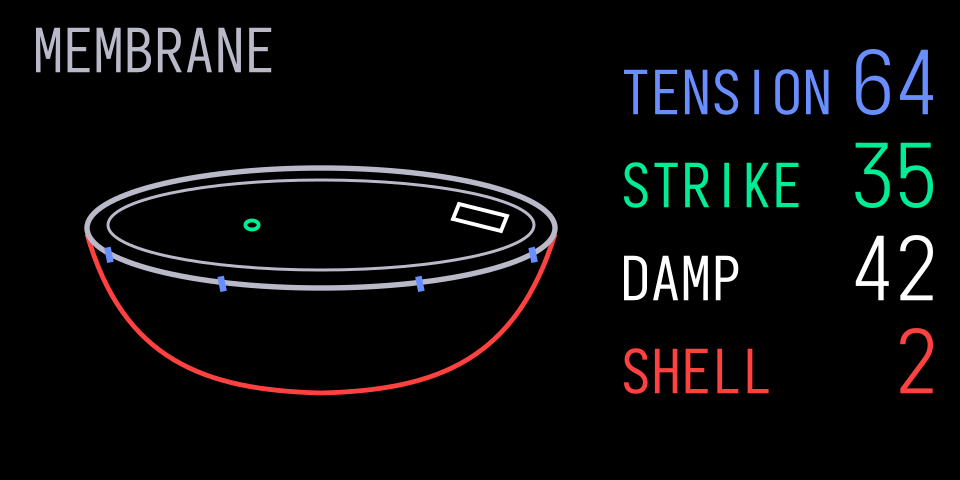
Original artwork rendered with the bundled Iosevka Thin preview font. Iosevka is included under OFL; no stock font is distributed.
Start Here
- Design: hierarchy, stock-derived typography profiles, colours and margins.
- Layout And Grid: flexible construction grid, spacing, alignment and fitting complete readouts.
- Patterns And Screen Examples: composition studies and original applications.
- Screen Families: design language across the original OP-1.
- Icons: stock symbol IDs, meanings, local loading and original icon design.
- Fonts: bundled Iosevka previews, unpacking your own stock font, character IDs and host loading.
- Graphics: restricted SVG, named blocks, smooth edges and CPU cost.
- Components: APIs, layouts and runtime binding contracts.
- Sources: community links and licence notes.
- For Agents: install the skill and use it with your coding agent.
See the kit in a real instrument: GIN.
Read The Kit
Start with the Spec, Font and Graphics guidance above. The Pages site presents static component renders and the same rules as the portable skill. You do not need a stock font to read or use the design guidance.
An optional local workbench is included for component developers:
python3 op1-ui/tools/preview.py
# Open http://127.0.0.1:8765/op1-ui/workbench.html
It starts with the bundled Iosevka placeholder. For a separate stock-lettering check,
choose your own opfont.svg with the file picker. The browser reads it on your
machine and uploads nothing. The kit does not serve TE assets.
The workbench's Play and Edit layouts demonstrate components. They are not a synth backend. The main Pages site is static guidance.
Use A Component
import { scene, parameter, softKeys, renderSvg, validateScene } from './op1-ui/src/components.mjs';
const screen = scene();
parameter(screen, {
  id: 'attack', label: 'ATTACK', value: '145', unit: 'MS',
  lane: 1, x: 89, y: 82, size: 's'
});
softKeys(screen, ['EXIT', 'PREV', 'NEXT', 'NAME']);
console.log(validateScene(screen));
console.log(renderSvg(screen)); // Original schematic font only.
The JS implementation is a reference renderer. Use the same role names, control maps and JSON tokens in Python, C or another host stack. C constants have no SDK or firmware dependency. See Components for native integration details.
Install The Skill
Install the skill in your firmware project:
npx skills add squarewave-studio/op1-design-kit
Select op1-design and your coding agent. The Skills CLI supports Claude Code, Cursor, Pi and OpenCode. It pulls directly from this GitHub repo, so a skills.sh account or directory listing is not required. See Installation And Usage.
Or copy the whole skills/op1-design folder into your
tool's skills directory. It follows the Agent Skills format
and includes its references and local font inspector. Ask it to design an
original OP-1 screen with the bundled Iosevka preview and stock-derived typography profiles.
SKILL.md indexes the portable references.
The maintained Spec and
JSON rules build the site
specification, public JSON and code constants. The
creative prompts support exploring
ideas for your instrument. The verification guide
covers host screenshots, image inspection and the bundled font, SVG and scene
checkers. The visual index links local image
pairs, editable schematic SVGs and state contracts. Choose a pattern to explore
and compare its states.
Build The Site
The site uses the repo's default GitHub Pages path. Build a static preview with Python and the pinned Markdown renderer:
python3 -m pip install Markdown==3.7
python3 op1-ui/tools/build_site.py
python3 op1-ui/tools/check_site.py
python3 op1-ui/tools/preview.py
# Open http://127.0.0.1:8765/out/pages/
The normal build has no private asset input. Seven credited, screen-only manual quotations sit beside their analysis on the website, outside the portable skill. No analytics, cookies or trackers are included.
Check Changes
python3 op1-ui/tools/sync_tokens.py --check
python3 op1-ui/tools/sync_skill.py --check
node --test op1-ui/tests/*.test.mjs
python3 -m unittest discover -s op1-ui/tests
node op1-ui/tools/check_layout.mjs
node op1-ui/tools/export_interactions.mjs
node op1-ui/tools/export_examples.mjs
python3 op1-ui/tools/check_svg.py op1-ui/examples/*.svg
The SVG checker is deliberately conservative. Passing it does not qualify a native parser, heap, screen binding, physical display or audio deadline. Public path-text examples favour inspectability and exceed the suggested 8 KiB artwork budget; native integrations should use their supported text service and measure the resulting cost. No native speedup is claimed.
Licence And Attribution
Original code, guidance, schematic alphabet and reference drawings are covered by the repository's MIT licence. Contributing is welcome. Third-party notices distinguish source references from dependencies. No TE firmware, source code, stock font, font atlas, extracted glyph geometry or extracted stock screen artwork is distributed in this kit. Selected manual illustrations accompany design criticism and review, with source notices and an explicit exclusion from MIT. OP-1 and Teenage Engineering are their owners' trademarks; this is independent community work.