
Components And Adapters
The kit includes layout helpers, original schematic lettering and screen examples. Use them to explore a design, then connect it to your target SDK. The original JavaScript and C constants and examples use MIT; native SDKs and font assets keep their own terms.
Public Reference API
Import op1-ui/src/components.mjs in Node or a browser. No package dependencies.
| Export | Contract |
|---|---|
scene() |
New 320×160 scene with path nodes and semantic text records |
text(scene, options) |
Text in a stock-derived size profile; overflow and missing characters raise an error |
parameter(scene, options) |
Named value and optional unit associated with encoder lane 0–3 |
header(scene, options) |
Left title, context and right-aligned small page name |
softKeys(scene, labels) |
Exactly four T1–T4 captions; empty means unused |
envelope(scene, options) |
Original two-colour attack/decay reference diagram |
selectionList(scene, options) |
Three-row window following selection, or an explicit empty state |
status(scene, options) |
Short message/detail; colour is accompanied by text |
line(scene, id, points, tone, width) |
Explicit finite geometry and unique IDs |
vectorPath(scene, id, commands, tone, width) |
One explicit M/L/C/Z contour with smooth cubic curves and an optional opaque fill |
validateScene(scene) |
Checks stroke extents against the proposed safe area |
renderSvg(scene, options) |
Standalone original path-based schematic SVG; optional browser guides |
Text options: {id, value, x, y, size, tone, align, maxWidth}. Size selects a named stock-reference profile such as browserRow,
parameterValue, clockNumber or mixerLevel, or a size alias
xs, s, m, l, xl, xxl. Both forms select the same profile; see the
Spec for the stock reference and dimensions. Tone is a token colour role. x/y are logical units measured
from the cap-cell top, not an SVG text baseline. Right or centre alignment uses x as
the anchor. Returned bounds describe the original schematic font, not stock text.
Parameter options: {id, label, value, unit, lane, x, y, size, width, align}. Values are
already formatted strings; audio/model conversion belongs to the caller. Name and value share an edge anchor; the optional unit joins the value on its
baseline. The Iosevka and stock-font adapters remeasure the complete pair. If
it does not fit, change the unit format or arrangement; the library does not
shrink it automatically.
screens.mjs exposes playScreen and editorScreen; patterns.mjs supplies
the Screen Examples. They are
original layout demonstrations, not clones of TE screens or implementations of
a released instrument. Their ranges and controls are examples. Connect your actual
model and documented input contract. The workbench's few T-key simulations do
not establish that every displayed feature has a backend.
Choose A Preview Font
Use the bundled Iosevka adapter for shareable previews. It loads the included
font, applies the selected character variants and measures visible lettering.
Follow Host Preview Font for the browser and static-render
helpers. renderSvg() alone keeps the original schematic alphabet.
For a private stock-lettering check, load your own opfont.svg locally. Keep
these renders private and check native text spacing separately.
Local Stock-Font Adapter
stock-font.mjs is an optional browser-only local asset adapter. It retains
stock curves in DOM, measures that font and replaces the semantic text records
in a reference SVG. It reports missing characters and stock overflow separately.
It does not export the resulting proprietary glyph geometry. See
Fonts for the source and optical-spacing contract. Native Text kerning
is not reproduced by this host approximation.
Other host languages should consume the same JSON tokens and semantic text record fields rather than hard-code a second scale. Record font asset identity, nominal height, actual ink bounds and advance independently. Test a long name, punctuation and units with the intended glyph set before signing off typography.
Implementation Details
Native Integration Contract
Use a separate adapter for the exact target SDK/core. Keep these concerns separate:
- Model and control mapping; GUI snapshots versus DSP state and save receipts.
- Role-to-native-font-size mapping, glyph encoding and measured ink/advance.
- Logical-to-physical coordinates, native Q10 where applicable and clipping.
- SVG resource identity, group/shape types, stable IDs and lifecycle.
- Visibility changes, pixel-cache availability and GUI ownership.
The generated include/op1_ui_tokens.h contains only constants. It intentionally
does not contain raw firmware addresses, vtables, SDK layouts or a font. Native
adapters may include the matching third-party SDK in their own appropriately
licensed project; do not paste that SDK into this MIT library.
For each dynamic group use a contract such as:
{
  "sourceId": "activepose",
  "nativeId": "activepose",
  "expectedType": "group",
  "owner": "graphics",
  "initialVisible": false,
  "sourceState": "manual-input activity",
  "paintOrder": "after base, before front",
  "resolveAt": "document loaded",
  "invalidateAt": ["document replaced", "node deleted"]
}
Resolve/check the native normalised ID and type at load. Keep pose groups
complete, including their fill and label state. Mutate only when input/state
changes. Leave document and drawing-cache retirement to the correct owner.
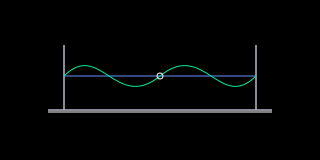
Do not mistake cached geometry for cached pixels. The original
retained-blocks.svg is a small structural
fixture; the preview of that SVG alone does not execute a native visibility API.
States To Check
A plugin should provide its primary, Shift and page control maps, plus selected, draft/applied, empty, loading, unavailable, error and retry states as applicable. A name-entry component should expose a fixed-size visible window, cursor, character set and apply/cancel semantics. A destructive dialog should identify the target, show the entire warning and await its actual backend acknowledgement. Those are contracts for integration, not backends implemented by this kit.
The Play example is a typography specimen: its unitless values are normalised 0–100 positions. It demonstrates readout anchors rather than a complete instrument or physical parameter scale.